
Google Vids Can Put Your Face in Every Video
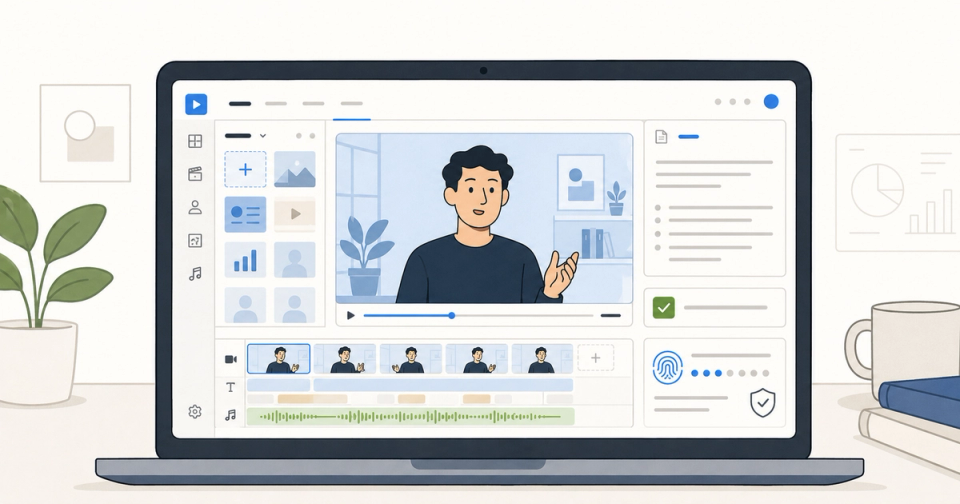
Google added personal avatars to Google Vids on July 16, 2026, letting eligible users create videos where a digital version of their own face and voice delivers the script. The obvious hook is speed: no camera, no calendar, no "can we do one more take?"
The sharper point is control. Google Vids is turning a person's likeness into a reusable workplace asset, which means founders, educators, sales teams, and managers need a new rule: if your face can speak while you are not in the room, approvals and disclosure matter as much as the script.
What happened
Google announced two updates for Vids on July 16: Gemini Omni inside Google Vids and personal avatars that can star in generated video clips. In Google's product post, Product Manager Justin Luk said users can create a digital avatar that looks and sounds like them by using a selfie and a short voice recording, then type what they want the avatar to say.
The Workspace Updates post is more operational. Personal avatars are rolling out to Rapid Release domains from July 16, 2026, and to Scheduled Release domains from August 5, 2026. Each rollout is gradual and may take up to 15 days for feature visibility.
Availability is not universal. Google says personal avatars in Vids are available to Google Workspace business customers and Google AI Pro and Ultra subscribers, with access limited to users in supported regions who are 18 or older. At launch, the feature is English-only and not available in the European Economic Area, Switzerland, or the United Kingdom.
The help documentation adds the practical setup path: users open Google Vids, select Personal avatar, scan a QR code with a phone or tablet, and follow prompts to record face and voice. Once the avatar exists, it can be selected inside Omni generations in Vids.
Google also says AI-generated clips include an invisible SynthID digital watermark. That helps with machine-readable provenance, but it does not answer the human question by itself: did the actual person approve this message, or did a team use their likeness because it was convenient?
Does Google Vids now let you use your own face in AI videos?
Yes. Eligible Google Vids users can create a personal avatar tied to their Google Account, then use that avatar in Gemini Omni video generations. The avatar is restricted to the account holder's likeness, requires a face and voice capture process, and is currently limited by age, language, subscription, and region.
That is a meaningful step beyond the earlier version of Vids avatars. In August 2025, Google Vids shipped preset AI avatars: 12 ready-made presenters, each with a built-in voice, designed for training videos, announcements, and product explainers. Those were useful because they removed filming. They were also generic by design.
Personal avatars change the value proposition. A founder can appear in a product walkthrough without recording on launch day. A customer success lead can ship localized onboarding updates without blocking a studio session. A teacher or trainer can make repeated micro-lessons that still feel like they came from a real person, not a stock presenter.
But this is where the feature gets serious. The face is not just decoration. For viewers, a familiar face carries authority. If a CEO avatar announces a policy, people may assume the CEO reviewed it. If a sales leader avatar explains pricing, prospects may hear it as a direct commitment. If a manager's avatar gives HR guidance, employees may treat the tone and wording as intentional.
That is why teams should read the feature less like a video editor and more like an identity workflow.
What makes Gemini Omni different from a normal video editor?
Gemini Omni lets users generate and edit video through natural-language prompts, reference images, and step-by-step changes instead of rebuilding the timeline manually. In Vids, that means a personal avatar can be part of a generated scene, while the surrounding clip can be edited through instructions like changing lighting, backgrounds, or effects.
Google's help page says Vids can generate clips from a text prompt, optional reference images, and optional avatars. Users can upload up to 7 reference images for creation. For AI editing, Google says uploaded videos over 10 seconds will have only the last 10 seconds edited, and users can add up to 3 reference images.
Those limits matter because they reveal the current shape of the product. This is not a replacement for every video workflow yet. It is strongest for short, repeatable clips: announcements, customer updates, training bites, personalized intros, social snippets, and product walkthrough segments.
Android Authority's Jay Bonggolto described the update as Google "rewriting the playbook" for video editing because users can skip much of the timeline work and describe the change they want. That is fair, with one caveat: workplace video is not just pixels. The hard part is often the approval chain, brand risk, and whether the person on screen should be the person speaking.
This is the pattern Google has been building toward across its video stack. Earlier ThePromptBuddy coverage of Google's AI image and video tools argued that the real contest is not who can make the flashiest demo, but who can embed creation into the tools people already use. Vids is the most practical version of that bet because Workspace is where internal updates, decks, onboarding materials, and training content already live.
The deeper model story also fits our earlier breakdown of how Gemini Omni actually works under the hood: text, image, audio, and video inputs are becoming ingredients in one creation loop. Personal avatars are the human-identity ingredient. That is powerful. It is also exactly why governance cannot be an afterthought.
Who should actually use personal avatars first?
Founders and executives should use personal avatars for low-risk, high-frequency communication first: quick product updates, event reminders, customer thank-yous, and internal context-setting. Do not start with layoffs, pricing changes, legal guidance, or anything where the audience needs certainty that the real person reviewed every word.
The best first use case is a message that already exists in writing and needs presence, not improvisation. Think "walk through this launch note," not "represent me in a sensitive negotiation." That distinction sounds obvious until a team discovers it can produce 20 variants before lunch.
Sales and customer success teams should treat the feature as a personalization layer, not a permission slip for synthetic intimacy. A personal avatar can make onboarding more human and make account updates less bland. It can also become uncanny fast if prospects feel a synthetic version of a real employee is pretending to be a one-to-one message.
Learning and development teams have the cleanest use case. Google itself highlighted training, announcements, and product explainers when it introduced preset avatars in 2025. Personal avatars make that workflow more credible because the subject-matter expert can be the recurring narrator without repeatedly filming.
Marketing teams should move carefully. The temptation will be obvious: founder-led ads, AI UGC-style clips, localized influencer-like intros, and endless short-form testing. The useful lesson from our piece on why AI UGC ads are the new moat is that synthetic production only works when the message matches the audience's trust expectations. A founder avatar can create leverage. It can also drain authenticity if the viewer feels tricked.
The approval rule teams should use
Before a personal avatar video ships, ask four questions:
- Did the person whose likeness appears approve this exact script or the template rules behind it?
- Is the video clearly AI-generated where a reasonable viewer would care?
- Would the message create legal, HR, pricing, medical, financial, or safety expectations?
- Could the same clip be harmful if removed from its original context?
If the answer to the third or fourth question is yes, use stricter review. If the answer to the first question is no, do not publish. The whole point of a personal avatar is that it borrows trust from a real person. Borrowed trust needs a paper trail.
SynthID helps, but it is not a complete viewer experience. Invisible watermarking can support verification through compatible tools. It does not automatically tell an employee, student, prospect, or customer that the words were AI-generated, who approved them, or whether the context changed after generation.
For most teams, the practical policy should be simple: visible disclosure for external avatar videos, explicit owner approval for scripts, admin controls for who can create personal avatars, and a separate review path for sensitive topics. Boring? Yes. Also how adults get to keep nice tools.
What to watch for next
Watch three things over the next 30 to 90 days.
First, quota and plan details. Google has already changed Vids availability over time, and its earlier preset-avatar help page listed weekly generation limits and 30-second maximums for avatar clips. Personal avatar usage limits may become the real adoption constraint for teams that want repeatable video operations.
Second, admin behavior. Google says admins can manage or disable personal avatars through the Admin console. The question is whether organizations get granular controls by organizational unit, use case, or data-retention policy, because "on or off" is rarely enough once executives and customer-facing teams start using synthetic likenesses.
Third, disclosure norms. If personal avatars become common in internal updates, teams may accept them quickly. External use will be messier. A founder's face in a video ad carries different expectations than a generic AI presenter. The next wave of backlash, if it comes, will probably be about consent and context rather than raw generation quality.
The bottom line
Google Vids personal avatars are useful because they remove the hardest production bottleneck in short workplace video: getting a real person on camera at the exact moment content needs to ship. That makes the feature genuinely valuable for training, onboarding, demos, and founder-led updates.
But the same thing that makes it useful makes it risky. Your face is now a reusable media asset. The teams that win with this will not be the ones that generate the most clips. They will be the ones that build a lightweight approval system before the first confusing avatar video escapes into the wild.