
Meeting Bots Became a System Layer
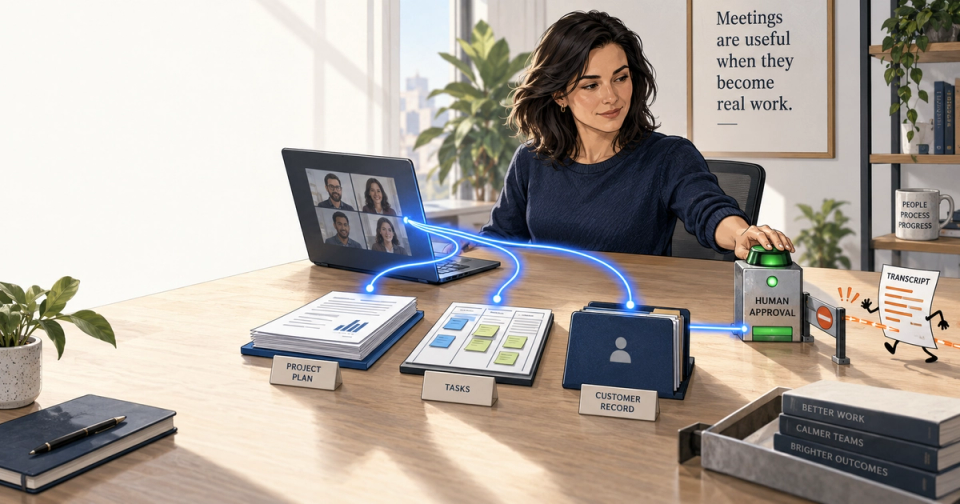
Meeting bots began as a narrow convenience: invite a bot, get a transcript, skim a summary. That product is being absorbed into the workplace stack. The important shift is not that summaries became better. It is that conversations are becoming permissioned context that can prepare work, create follow-ups, answer questions later, and, in tightly bounded cases, trigger a workflow.
The thesis: meeting intelligence is no longer a meeting feature. It is a system layer, and teams should evaluate it by whether it closes a verified loop between a conversation and a system of record, not by how polished its recap looks. The same rule separates useful voice agents from impressive ones: they work best where the goal is constrained, the data is available, and a human can take over before a bad answer becomes a bad outcome.
The case rests on product changes from Zoom, Google, and Microsoft, plus production evidence from voice support. The throughline is simple: transcripts are not the asset. The durable asset is a governed chain from intent to evidence to action.
The quick answer
What changed?
Meeting bots moved from attending a single call to feeding workspaces, calendars, task systems, search, and AI tools. Google Meet saves notes in Docs and attaches them to Calendar. Teams combines transcripts, chat, files, notes, and follow-up tasks in Recap. Zoom exposes meeting context to connected systems and AI environments. Google, Microsoft, and Zoom now describe the same architectural direction.
Why does it matter?
A summary is an endpoint. A system layer is reusable context: it can help prepare the next meeting, identify an unresolved decision, draft a customer follow-up, or ground an agent’s answer in the relevant conversation and policy.
The non-obvious truth: the winning meeting product will not be the one that records the most. It will be the one that carries the smallest necessary slice of conversation into the next approved step, with sources, permissions, and an undo path.
Meeting bots were the intake form
The first generation had a clean job: capture speech, assign speakers, produce notes. That was valuable, especially for people who missed a meeting or had to keep their attention on the room. But it also created a familiar graveyard: a transcript, a decent summary, and no reliable way to know whether the promised action made it into Jira, Salesforce, a calendar, or anyone’s actual priorities.
Google’s current Meet flow makes the migration visible. “Take notes for me” captures notes and action items, organizes them in a Google Doc, saves it to Drive, and attaches the document to the Calendar event. Google’s documentation also tells users to review and edit the notes. That last instruction matters. The product is no longer pretending that a recap is final truth. It is proposing a working artifact inside the system where follow-up already happens.
Microsoft has made the same move from the other direction. A Teams Recap can collect the recording, transcript, shared files, notes, custom summary, agenda, and follow-up tasks in one place. Microsoft’s support documentation says Copilot can use the recap to summarize points and generate follow-up tasks. Copilot can also reason over the transcript and meeting chat during or after the call, subject to the organization’s meeting settings and retention choices. That boundary is explicit, and it should be.
This is the same change we have been tracking in the line between AI assistance and decision-making. Capturing a claim is assistance. Writing a ticket, assigning its owner, and changing a customer record crosses into a decision-and-action system. Treating both as “meeting notes” hides the risk.
Why are meeting bots becoming a system layer?
Because the useful unit is no longer the meeting. It is the decision trail across meetings, messages, documents, and systems of record. A transcript can answer what was said. Connected context can answer what was decided, what changed afterward, and what must happen next, provided retrieval respects each source’s permissions.
Zoom’s product announcements make the direction unusually plain. In July 2025, Zoom said its AI Companion could connect with 16 third-party apps, including Jira, Asana, ServiceNow, and Box, to complete tasks across platforms. The announcement also describes action items detected across meeting summaries, chats, and emails. In a later MCP expansion, Zoom said its server could surface summaries, transcripts, recordings, notes, and action items to tools such as Codex and Claude, alongside connected enterprise systems. Zoom’s Brendan Ittelson put the point well: “AI workflows become significantly more powerful when they can operate on real organizational context.”
That is a more consequential proposition than “the bot joins calls automatically.” It lets an engineer ask why a ticket was prioritized, a support lead trace a promise made on a customer call, or a project owner construct a status update using the kickoff and the work that followed. It is also why context windows are not memory. Raw conversational history becomes useful only when the system retrieves the relevant, authorized slice at the time of a task.
The system-layer model has four parts:
- Capture: obtain a transcript, notes, or call record with appropriate notice and retention.
- Ground: link statements to the meeting, speaker, task, customer, or document that gives them meaning.
- Propose: turn grounded context into a draft action, question, update, or search result.
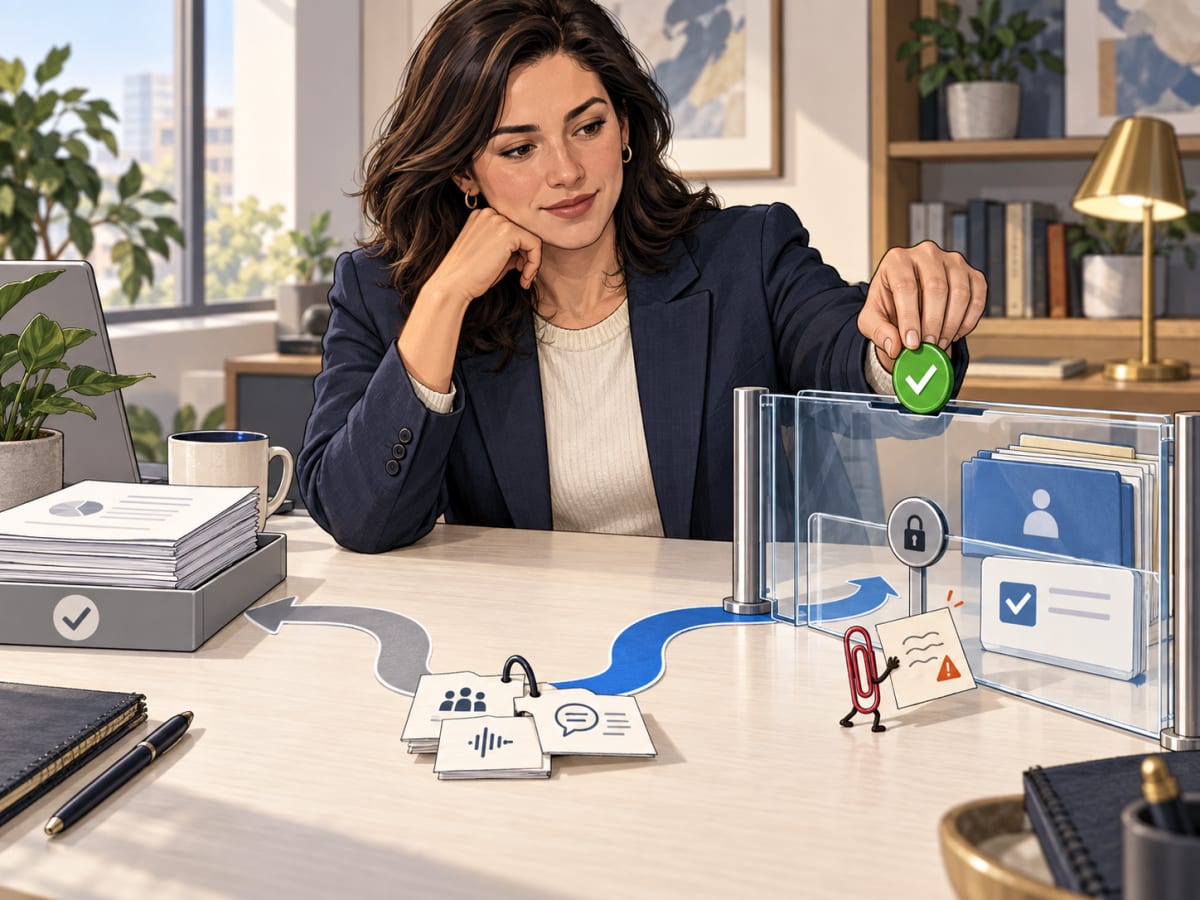
- Verify and act: require a person or a strict policy to approve the write, then retain evidence of what changed.
If a vendor does only the first part, it is still a meeting bot. If it can safely do all four, it is becoming organizational infrastructure.
What should teams ask before connecting meetings to work?
Ask whether the system can show its sources, honor existing permissions, distinguish a decision from discussion, and keep actions reversible. If the answer to any one is no, use it for retrieval and drafts, not autonomous writes. The cost of a wrong summary is annoyance. The cost of a wrong CRM update or customer commitment can be operational debt.
The practical trap is semantic overconfidence. “We should consider enterprise pricing” and “we agreed to enterprise pricing” can sit three seconds apart in a transcript. A language model can summarize either sentence fluently. It cannot make the distinction reliable without context, policy, and often a human reviewer.
Microsoft’s meeting controls reflect this reality. Organizers can choose whether Copilot is allowed during and after the meeting, during the meeting only, or off; the last option also disables recording and transcription to prevent Copilot from accessing sensitive information. Microsoft documents those controls. Google’s admin guidance similarly ties Meet notes to retention policies and can attach the note document to the scheduled event. The documentation is a useful reminder that “AI note-taking” is also a data-governance choice.
Use a decision rule instead of a feature checklist:
| Workflow | Recommended capability | Human control |
|---|---|---|
| Missed internal sync | recap and cited Q&A | Edit notes before sharing |
| Project status | draft from transcript, tasks, and docs | Owner validates dates and claims |
| Sales or support call | propose CRM fields and follow-up | Rep approves the write and send |
| Security, legal, pricing, or HR decision | retrieve evidence only | Authorized person makes the decision |
For teams building their own version, this is where MCP authentication and permission logging becomes relevant. A connector that can read a transcript and create a ticket needs scoped credentials, audit logs, predictable failure behavior, and a way to stop an over-broad action. “The agent saw it in a meeting” is not authorization.
Where do voice agents actually help?
Voice agents are most helpful in high-volume, repeatable conversations where speed and spoken interaction matter, such as first-line support, appointment handling, lead qualification, and structured intake. They are weakest when the call requires judgment, sensitive negotiation, or a commitment outside a defined policy. The voice is not the product. The reliable handoff is.
The technology is now good enough to make that distinction economically important. OpenAI’s Realtime API supports low-latency audio interaction, interruptions, and function calling, so an agent can retrieve customer information or trigger a bounded action while speaking. OpenAI’s launch explanation describes why a streamed speech-to-speech model avoids the older transcription-to-model-to-speech chain. The current GPT-Realtime-1.5 model page positions it for voice agents and customer support, with a 32,000-token context window and published audio-token pricing.
There is credible production evidence, not just demos. In OpenAI’s 2025 enterprise report, Intercom said its Fin Voice implementation reduced answer-generation latency by 48% since March, resolved 53% of calls end-to-end on average, and reduced time to resolution by 40% on calls that still required human agents. The case study is vendor-reported evidence, not an independent benchmark, but it shows why support is a better first target than an open-ended concierge. The goal is measurable and the escalation path already exists.
OpenAI’s own customer-support operation offers the same lesson. Its Presence page says an English-language phone agent verifies callers, uses account context, and takes approved actions; the company says it resolves 75% of inbound issues without human assistance. Glen Worthington, OpenAI’s Head of User Operations, says it met or exceeded frontline human-support quality within weeks. The important qualifier is “approved actions.” That phrase does more work than the voice quality.
Useful voice workflows share a shape:
- Support triage: authenticate, identify the intent, retrieve the relevant policy, complete a known operation, or route with a concise case summary.
- Scheduling and intake: collect a fixed set of fields, verify the details aloud, and reserve a slot only when availability and rules are clear.
- Lead qualification: answer approved basics, capture structured demand signals, and warm-transfer high-intent or exception cases. Our voice-agent lead-capture comparison is useful here because platform choice matters less than the escalation and CRM contract.
- Post-call operations: extract structured outcomes from recorded calls, but send proposed updates to a queue rather than silently changing the system of record.
That last case brings voice and meeting intelligence together. The best implementation does not make every customer conversation autonomous. It makes every conversation legible to the next person and next tool.
When does the system-layer idea break down?
It breaks when collection outruns consent, retrieval outruns permissions, or an agent is allowed to convert ambiguity into an irreversible action. More connected context improves answer quality only if the system can prove what it used and who was allowed to see it. Otherwise it turns a meeting archive into a new attack surface.
There are mundane breakages too. Speaker attribution fails. A side conversation becomes an action item. A recurring meeting carries stale assumptions into a new quarter. A sales agent writes a duplicate contact because it did not check the CRM first. A support voice agent makes a confident promise because the knowledge base was old.
None of these are reasons to abandon the category. They are reasons to stop evaluating it as a transcription feature. Borrow the test we use for AI agents that fail despite smart models: measure the verified end state, retries, human corrections, policy violations, and recovery path. Do not score the demo on how natural it sounds.
The honest take
Vendor roadmaps are not proof of widespread operational maturity. Zoom, Microsoft, and Google can connect more context, but the hard part remains mapping permissions and ownership across a real organization. A polished cross-app answer can still be grounded in stale documents or an incomplete transcript.
The public voice-agent evidence is selective. The Intercom numbers are reported in an OpenAI publication and may not generalize across languages, industries, or complex cases. They are still more useful than a synthetic benchmark because they name a concrete workflow and human-handoff effect.
Automation should not become a reason to record more. The useful design principle is data minimization: capture only what the workflow requires, retain it for an explicit period, and make it clear to participants what the system can do with it. A system layer without these boundaries is just a larger surveillance surface.
FAQ
Are meeting bots going away?
No. They are becoming a feature inside broader workplace systems. A bot that joins calls remains useful when it produces a trustworthy recap. The larger opportunity comes when that recap is connected, with permission, to calendars, documents, tasks, and approved workflows.
Should an AI agent automatically create tasks from every meeting?
No. Let it propose tasks and attach source evidence. Auto-create only for narrow, repetitive workflows with a clear owner, due-date rule, and an easy way to reverse mistakes.
Is a voice agent better than chat support?
Not generally. Voice is better when a caller needs immediate help, cannot easily type, or benefits from a conversational intake. Chat is usually cheaper and easier to audit for complex research, document sharing, and long-tail questions.
What is the best first voice-agent use case?
Start with a measurable, bounded queue: status lookup, appointment scheduling, password-reset triage, or a structured lead-intake flow. Include a human transfer from the first release.
Can meeting intelligence use sensitive conversations safely?
Only with explicit retention, access, and consent rules. Treat meeting transcripts like other sensitive company records. The AI layer should inherit, not bypass, the permissions on the underlying data.
What should a buyer ask in a vendor demo?
Ask the vendor to show a cited answer from multiple sources, a rejected or failed action, permission behavior for two different employees, a retention setting, and the audit trail for one completed workflow. Those five moments reveal more than a perfect recap.
The bottom line
Meeting bots did not disappear. They became the intake layer for systems that try to turn conversation into work. Buy or build them accordingly: preserve source links, use the least context necessary, route ambiguity to people, and measure whether the approved next step was actually completed.
Voice agents are useful under the same conditions. Use them to resolve routine requests, capture structured intent, and hand off the moment judgment or risk exceeds the policy. The winning product is not the one that sounds most human. It is the one that knows when to stop talking and leave behind a trustworthy next step.